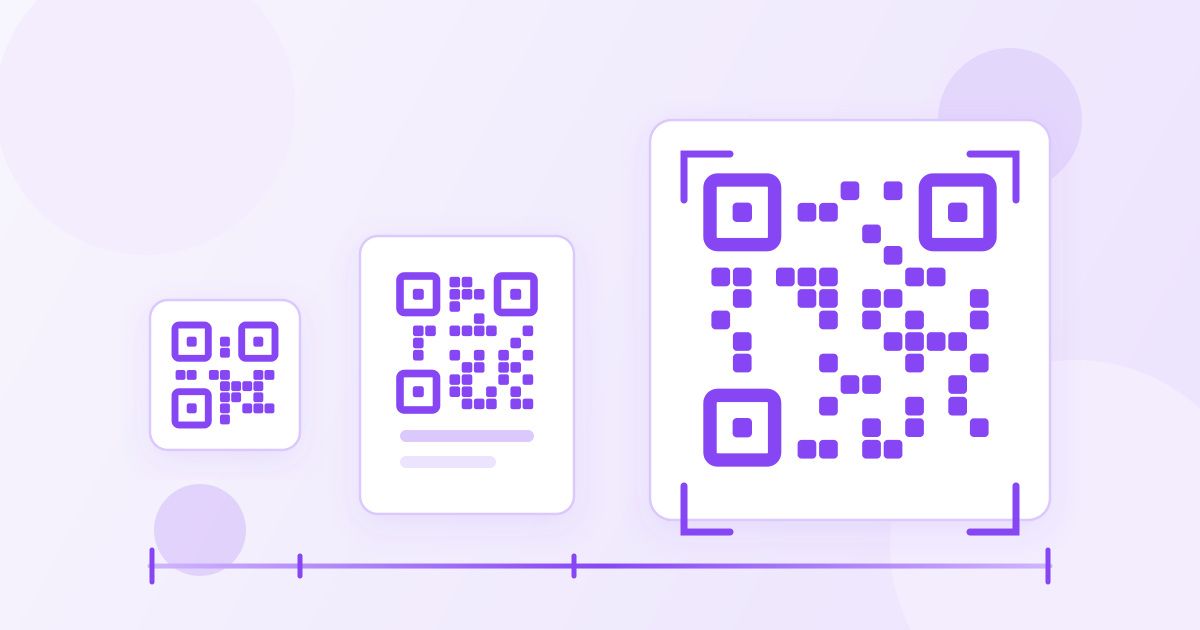
A printed QR code needs to be roughly one tenth as wide as the distance people will scan it from. Held at arm's length — a business card, a menu on the table — that means about 3 cm across. Stuck on a poster people read from two metres away, it needs to be around 20 cm. Print it smaller than that and phones hunt for focus, which is why so many printed codes feel like they "don't work".
Everything else is detail layered on that one rule: leave a clear margin around the pattern, keep the encoded link short so the squares stay chunky, and export at a resolution that survives the printer. This guide gives working sizes for the places codes actually end up, and covers the two mistakes that kill more printed codes than size ever does.
The 10:1 rule, and the floor underneath it
The rule of thumb used across the printing trade is 10:1 — one unit of code width for every ten units of scanning distance. A code scanned from one metre away wants to be at least 10 cm wide. A code on a shelf label read from 40 cm wants 4 cm.
There is also a practical floor. Below about 2 x 2 cm, ordinary phone cameras struggle to resolve the individual squares, especially in shop lighting or on textured paper. Treat 2 cm as the absolute minimum for anything printed, and only use it when the code carries a very short link and people will hold it close.
One more adjustment: the 10:1 rule assumes someone standing still with a decent phone. If the audience is moving, the light is poor, or the surface is glossy, add 25–50% on top. Oversizing costs you a bit of layout space. Undersizing costs you the whole print run.
Sizes for real-world placements
These are the widths of the code itself — the black-and-white square — not including the margin around it.
| Where the code lives | Typical scan distance | Minimum width | Comfortable width |
|---|---|---|---|
| Business card, ticket, label | 20–30 cm | 2 cm | 2.5–3 cm |
| Restaurant menu, table tent | 30–50 cm | 3 cm | 4 cm |
| A5 flyer, leaflet, invoice | 40–60 cm | 3 cm | 4–5 cm |
| A4 poster at eye level | 0.6–1 m | 6 cm | 8 cm |
| A2 poster in a corridor | 1.5–2.5 m | 15 cm | 20–25 cm |
| Shop window from the pavement | 2–3 m | 20 cm | 30 cm |
| Banner, van livery, site hoarding | 5 m and up | 50 cm | 60 cm and up |
A code aimed at passing traffic is a bad idea at any size — nobody scans at 50 km/h, and the ones who try should not be. For vehicles, size the code for someone standing next to the parked van.
The margin is not optional
Every QR code needs a quiet zone: a band of blank, light-coloured space around all four sides. The standard asks for four modules' worth, a module being one of the little squares that make up the pattern. If each module prints at 1 mm, you need a 4 mm border; if each module is 2 mm, you need 8 mm.
This is where most printed codes die. A designer drops the image into a tight box, crops the white edge away to make it "sit better", or runs body text right up against the pattern — and scanners can no longer find the code's boundary. When you drop a downloaded code into a layout, check that clear space is still there, and if it has been trimmed, rebuild it by giving the image a generous padded box of its own.
The same applies to what sits behind it. A code printed over a photograph, a gradient or a busy pattern loses the contrast that scanners rely on, even when the code itself is technically large enough.
Shorter links make more forgiving codes
When you make a code with the QR Code Generator, the content you type is encoded directly into the pattern. These are static codes: the data lives in the image, so they never expire and there is no service in the middle that can go offline — but it also means longer content produces a denser grid.
A short link such as yoursite.com/menu produces a code with large, chunky modules. The same link with a long campaign tracking string bolted onto the end can double the number of modules, and at the same printed width each square is now half as wide. That is the difference between a code that scans instantly and one that needs three attempts.
So before you generate anything, trim the URL. Drop the tracking parameters you will not read, use a short page path, and skip "https://www." if the destination works without it. If you must keep a long link, compensate by printing the code bigger.
Pixels, dpi and getting a print-ready file
Print size and pixel size are different things, and mixing them up is the second common failure. The arithmetic is simple:
- Pixels needed = printed width in inches x dpi.
- A 3 cm code (1.2 inches) at 300 dpi needs about 360 px.
- An 8 cm code (3.1 inches) at 300 dpi needs about 940 px.
- A 25 cm poster code (9.8 inches) at 150 dpi — fine for large format viewed from a distance — needs about 1,480 px.
Generate your code, download it, and check the image's pixel dimensions. If your layout needs an exact figure, put it through the Image Resizer and set the width you calculated. Scaling a QR code up is more forgiving than scaling a photo — it is only black squares — but push it far past the original pixel count and the edges soften, so print a test before you commit.
For very large format, you can try tracing the downloaded image into a vector with the PNG to SVG converter, which scales to any size without softening. Trace results vary with the source image, so scan-test the SVG before it goes anywhere near a 3-metre banner.
When it is time to hand the artwork over, most printers want a PDF rather than a loose image. The Image to PDF converter turns the code — or a whole sheet of them — into a single document you can email, and if the file comes out heavier than the print shop's upload limit, run it through the PDF Compressor first.
Contrast, colour and surface
Dark pattern on a light background is what every scanner expects. Inverted codes — light squares on dark — work on many modern phones and fail on plenty of others, so avoid them on anything that matters. Keep the contrast high, avoid pale greys, and never let the code print across a fold, a seam or a curved bottle where part of the pattern bends out of the camera's view.
Glossy lamination is worth a thought too: a code under a shiny finish can be unreadable at the exact angle where the ceiling light reflects back. Matt finishes are safer for menus and signage.
Finally, tell people what happens when they scan. "Scan for the menu" or "Scan to book" gets several times the response of a naked square, because it answers the only question anyone has before pointing a camera at something.
Test before the print run
- Print a single copy at the final size, on the actual paper stock.
- Scan it with at least two phones, including an older one.
- Test in the light the code will live in — dim restaurant, bright window, fluorescent office.
- Scan from the real distance, and from an angle, not straight on from 15 cm.
- Check the destination page looks right on a phone, not just on a desktop.
- Confirm the clear margin survived the layout.
- Only then send the job to print.
Two minutes of testing is the cheapest insurance in the whole process. A code that scans on the designer's iPhone and nowhere else is the single most expensive mistake in printed QR work — and it is almost always size, margin or contrast, in that order.
Frequently Asked Questions
What is the minimum size for a printed QR code?
About 2 x 2 cm (0.8 inches) is the practical floor for print, and only for a short link scanned from close up. Below that, phone cameras struggle to resolve the individual squares, particularly in poor light or on textured paper.
How big should a QR code be on an A4 poster?
Aim for 6–8 cm wide if people will read the poster from about a metre away. Apply the 10:1 rule to your own situation: one centimetre of code for every ten centimetres of scanning distance, then add a little margin for error.
Why won't my printed QR code scan?
The three usual causes, in order, are: it was printed too small for the distance, the white margin around it was cropped away, or there is not enough contrast because it sits on a photo or a dark background. Reprint one copy with each fixed and test again.
What resolution do I need for a print QR code?
Multiply the printed width in inches by the print resolution. A 3 cm code at 300 dpi needs roughly 360 pixels; a 25 cm poster code at 150 dpi needs roughly 1,480 pixels. Resize the downloaded image to that width before placing it in your layout.
Does a longer URL make the QR code harder to scan?
Yes. Static codes store the content in the pattern itself, so more characters mean more and smaller squares at the same printed size. Trimming tracking parameters off a link is often the quickest way to make a code scan reliably.
Do QR codes made with a free generator expire?
Static codes do not. The data is encoded in the image rather than stored on a server, so the code keeps working as long as the destination page exists. Codes made with Toolyfied's QR Code Generator are static, free and have no account or watermark attached.