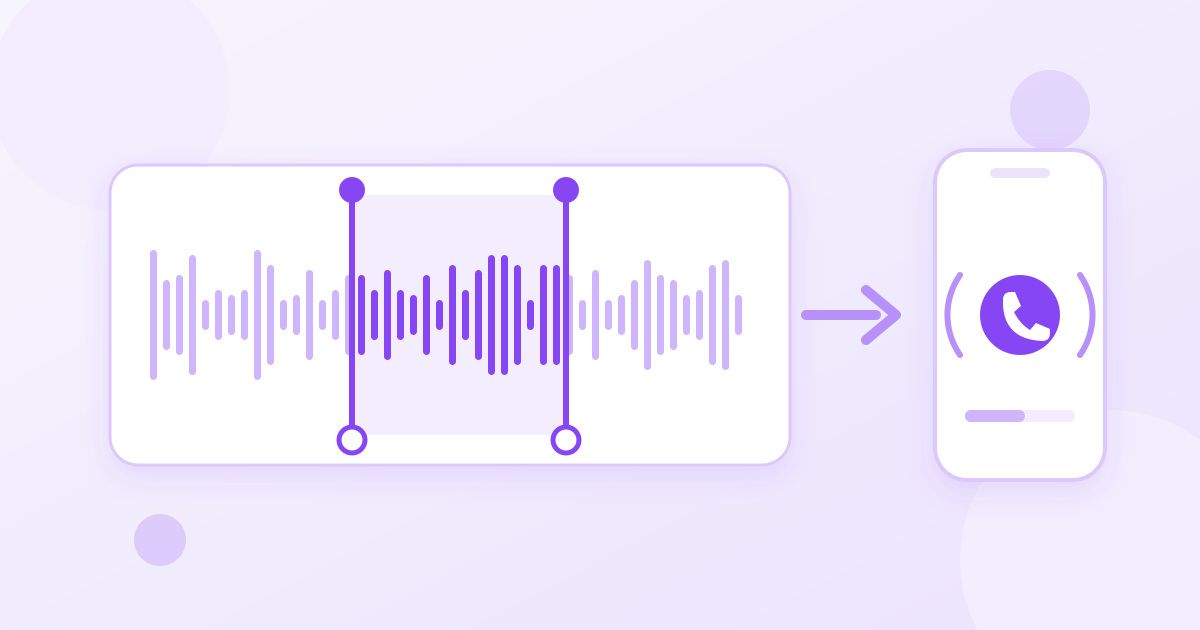
To cut an MP3 file, open a free online MP3 cutter, upload the track, type the start and end time in seconds, and download the trimmed file. That is all a ringtone really is: a 20 to 30 second slice of a song. The part people get stuck on is not the cutting, it is finding the right seconds and getting the file onto the phone in a format it accepts.
This guide covers both halves. First the trim itself, then the details that decide whether your clip actually works as a ringtone, an alarm, or a short clip for a video or presentation.
How to cut an MP3 in four steps
You do not need to install an audio editor for a simple cut. The Toolyfied MP3 Cutter trims a file by exact start and end seconds, which is precise enough for ringtones, podcast snippets and voice memos.
- Find your in and out points first. Play the song in any music player and note the time the part you want begins and ends. Write it down as seconds: 1:12 becomes 72, 1:40 becomes 100.
- Upload the file to the MP3 cutter.
- Enter the start and end seconds. For the example above that is 72 and 100, which gives a 28 second clip.
- Download the result and play it once before you do anything else with it. If the clip starts a beat late or clips the last word, adjust by a second and cut again from the original.
Always cut from the original file, not from a clip you already trimmed. Each cut from the source gives you a clean result, and you keep the full track in case you change your mind about which part you want.
How to pick the right seconds
Most bad ringtones fail in the first two seconds. A phone rings for a short time, and if your clip opens with a quiet intro, a breath or a slow build, the call has often gone to voicemail before the good part arrives.
- Start on the hook. The chorus or the most recognisable riff is usually the best choice. Start right on the downbeat rather than half a second before it.
- Avoid silence at the start. Even a one second gap makes a ringtone feel slow to respond. Nudge the start time forward until sound begins immediately.
- End at a natural pause. Ringtones loop. If you cut mid-word, the loop is jarring every time it repeats. End at the close of a line or bar.
- Keep it short. Around 20 to 30 seconds is plenty for a ringtone. Alarms and notification sounds can be much shorter.
Ringtone length and format: iPhone vs Android
The two platforms treat custom ringtones differently, so check which phone the file is for before you finish.
| iPhone | Android | |
|---|---|---|
| Usual ringtone format | M4R (an AAC audio file with a ringtone extension) | MP3 works on most phones; OGG and M4A are often accepted too |
| Length | Commonly cited limit of about 40 seconds; 30 seconds or less is safest | No strict limit on most phones, but long files feel odd as ringtones |
| How it gets onto the phone | Usually through GarageBand on the phone, or by syncing from a computer | Copy the file to the phone, then pick it in Sound settings |
| What to cut to | 20 to 30 seconds | 20 to 30 seconds |
Phone menus change between software versions and manufacturers, so treat the table as a starting point and check your own device's sound settings.
Making a ringtone for Android
Android is the easy case. Cut your MP3, then move it to the phone by USB, a cloud drive or by downloading it directly on the phone. On many Android phones you can copy the file into a folder named Ringtones on internal storage, then go to Settings, Sound and choose it from the list. Some phones also let you pick any audio file from storage straight from the ringtone menu.
If your phone does not show the file, check the format. An MP3 is the most widely accepted choice, and that is what the cutter gives you back: it saves every clip as an MP3, so a trimmed WAV or M4A comes out ready for Android. If you need a different format afterwards, the Audio Converter switches audio between MP3, WAV, M4A, OGG and FLAC.
Making a ringtone for iPhone
iPhone is fussier. It expects ringtones in the M4R format, which is AAC audio with a different file extension. A common route is:
- Cut the clip to 30 seconds or less. You get an MP3 back.
- Convert it to M4A with the Audio Converter.
- Rename the file extension from .m4a to .m4r on your computer.
- Add it to the iPhone by syncing from a computer, or import the audio into GarageBand on the phone and export it as a ringtone from there.
GarageBand can also trim audio itself, but typing exact seconds into a cutter is quicker when you already know where the chorus starts. Apple has changed how ringtones are managed several times over the years, so if a step looks different on your phone, follow the current option shown in Settings, Sounds and Haptics.
When the audio is inside a video
Sometimes the sound you want is not an MP3 at all: a clip of your kid laughing, a voice note recorded as a video, or the music from a video you filmed at an event. In that case, extract the audio first with the MP4 to MP3 Converter, which pulls the audio track out of a video as an MP3. Then cut that MP3 to the seconds you need.
If the video came from an iPhone and is a MOV file, you can convert it with the MOV to MP4 Converter first if another tool refuses it. Only use audio you have the right to use. A ringtone for your own phone made from a song you own is a personal use; sharing or selling clips of commercial music is a different matter.
Other things people use an MP3 cutter for
Ringtones get the attention, but trimming by exact seconds solves a lot of everyday audio chores:
- Voice memos and interviews. Remove the fumbling at the start and the long pause at the end before sending a recording to someone.
- Presentation clips. Cut a 10 second sound bite to embed in slides instead of dragging a full track in and hoping you remember where to skip.
- Podcast and lecture highlights. Share the one minute that matters rather than a 60 minute file.
- Alarm and timer sounds. Short, punchy clips of a few seconds make better alarms than full songs.
- Getting under a size limit. A shorter clip is a smaller file, which helps when a messaging app or form limits attachment size.
Does cutting an MP3 lower the quality?
To land exactly on the seconds you type, the cutter re-encodes the clip as a 192 kbps MP3. That is a common, good quality setting for music, and on a phone speaker the clip should sound like the same part of the original. What a cutter cannot do is add quality that was never there: if the source is a low bitrate MP3 or a recording made on a noisy phone microphone, the ringtone will sound the same way.
For the best result, start from the highest quality copy of the song you have. If you have both a WAV and an MP3 of the same track, trim the WAV, rather than an MP3 that has already been converted a few times.
Privacy and file handling
The MP3 cutter is free, needs no sign-up and adds no watermark or voice tag to your audio. Your file is uploaded to Toolyfied's server so it can be trimmed, it is used only to produce the clip you download, and old files are cleaned up from the server automatically every day. If a recording is sensitive, such as a private voice note, keep that in mind and keep your own copy of the original.
Frequently Asked Questions
How do I cut part of a song for free?
Upload the song to a free online MP3 cutter, enter the start and end time in seconds, and download the trimmed clip. Note the times in a music player first so you only need one or two cuts. Toolyfied's MP3 Cutter is free with no sign-up and no watermark.
How long should a ringtone be?
Around 20 to 30 seconds works well on both iPhone and Android. iPhone ringtones are commonly limited to about 40 seconds, so staying at 30 seconds or under avoids problems. Start the clip on the most recognisable part of the song so it is heard before the call ends.
What format does a ringtone need to be?
Most Android phones accept MP3, and many also take OGG or M4A. iPhone uses M4R, which is AAC audio with a ringtone extension. A common route is to convert the clip to M4A and rename the extension to .m4r before adding it to the phone.
Does trimming an MP3 reduce its quality?
The cutter re-encodes the clip as a 192 kbps MP3 so the cut lands on exact seconds, which should sound like the original on most speakers and headphones. It cannot improve a poor source, though. Start from the best quality copy of the track you have.
Can I make a ringtone from a video?
Yes. Extract the audio from the video as an MP3 with an MP4 to MP3 converter, then cut that MP3 to the seconds you want. Only use audio you have the right to use.
Why doesn't my custom ringtone show up on my phone?
The usual causes are the wrong format or the wrong location. On Android, try an MP3 copied into the Ringtones folder or pick the file from storage in Sound settings. On iPhone, the file generally needs to be an M4R under about 40 seconds added through syncing or GarageBand.